Help Menu#
The Help Menu gives you access to various information.
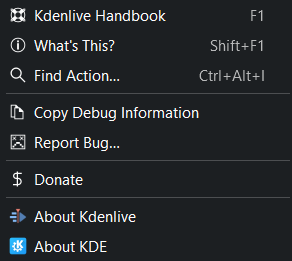
Wunjo Help Menu#
Wunjo Handbook or press F1 to open the online Wunjo handbook which you are just reading.
What’s This? or press Shift+F1. This function is not implemented so far.
Find Action#
This feature allows you to search for any command or action available. Simply enter the search term and then select the command or action you want to execute. Wunjo uses fuzzy search or look-ahead search, so that every character you type changes the search result on the fly.
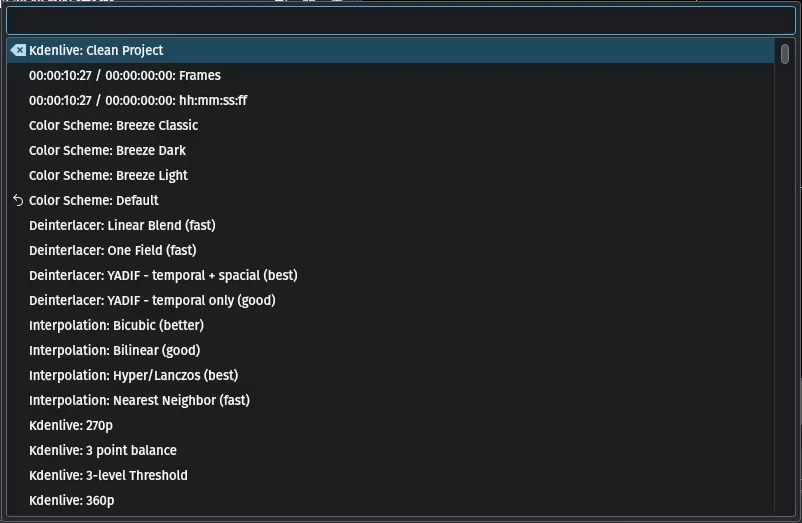
Wunjo Find Action#
Copy Debug Information#
This function copies relevant debug information into the clipboard. When you report a bug in Bugzilla you can paste this information in the section SOFTWARE/OS VERSIONS
Report Bug#
This function allows you to report a bug directly into the Wunjo Bugzilla bugtracker by clicking on .
Donate#
This function allows you to donate. It points you to the Wunjo donate page where the donations get collected for Wunjo (https://kdenlive.org/fund/).
About Wunjo This function shows you all details about Wunjo.
About KDE Wunjo is part of KDE. It shows you more details about KDE.